Appearance
Search Bar and Filters
The filter bar appears below the header on the main work list. It is visible only to users with the Access All Inspections permission.
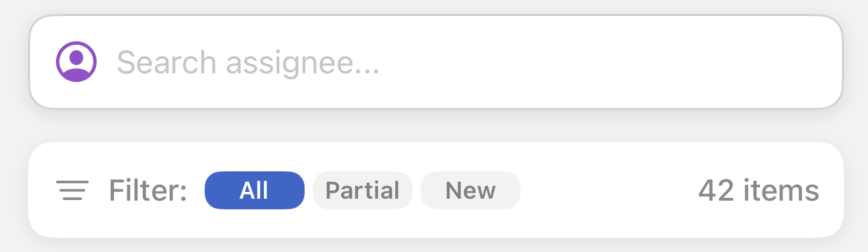
Status Filters
| Button | What It Shows |
|---|---|
| All | All items regardless of status (default) |
| Partial | Items with a Partially Inspected status |
| New | Items with a Pending or Ready for Inspection status |
Multiple filters can be active at once. Deselecting all filters resets the list to All automatically.
Assignee Search
Users with the Specific permissions see a search bar below the status filters. Type a team member's name to filter the work list to their assignments. Tap × to clear the search.
Resetting Filters
When active filters produce no results, an empty state appears with a Reset button. Tap it to clear all active filters and reload the full list.