Appearance
Task Details
Tap any task card to open the Task Detail screen. It has two tabs: Details and Work Log.
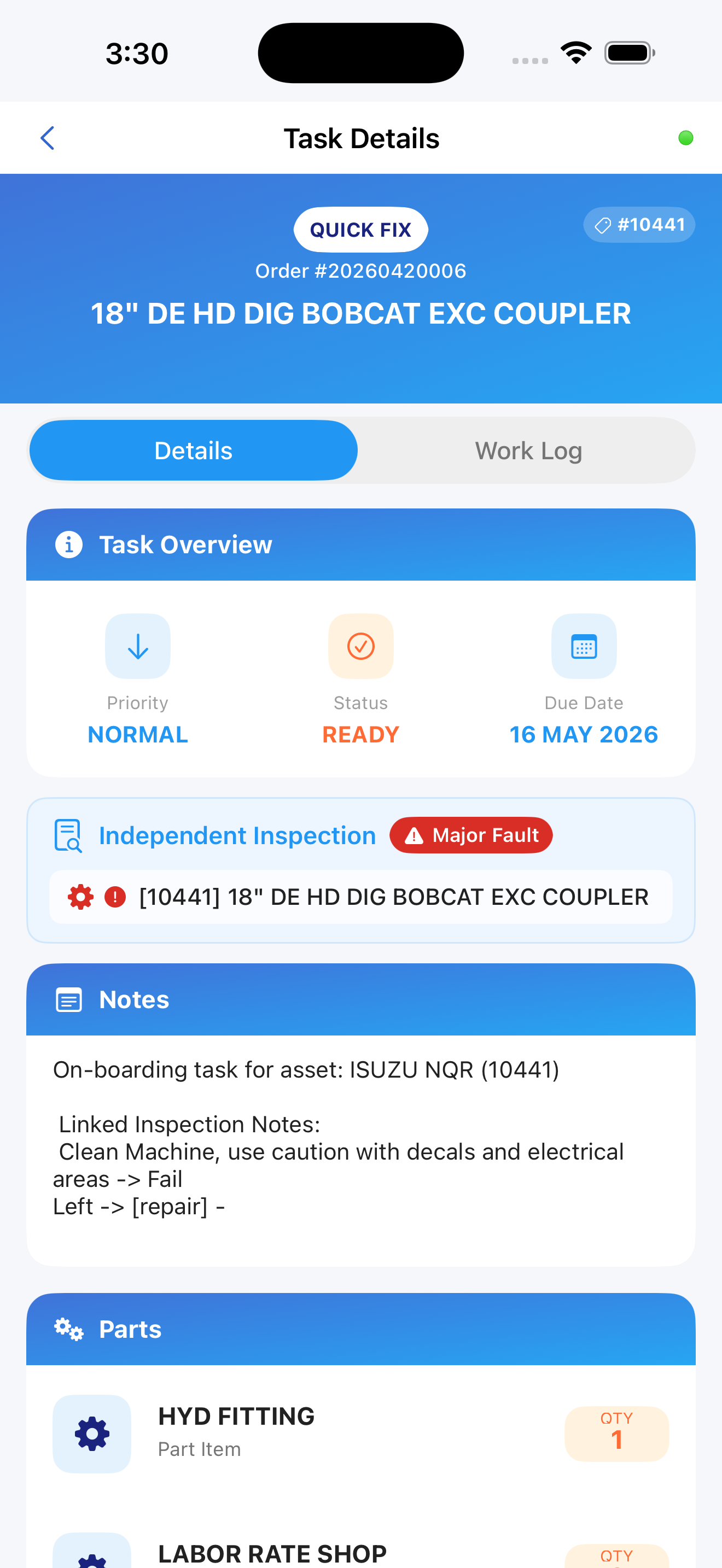
Gradient Header
A colored gradient banner is visible at the top of both tabs.
| Element | Description |
|---|---|
| Task type badge | White pill - e.g., QUICK FIX, PREVENTIVE MAINTENANCE |
| Asset number badge | Gray pill in the top-right — e.g., #10441 |
| Order number | e.g., Order #20260420006 |
| Asset name | Large bold text — full name of the asset |
Details Tab
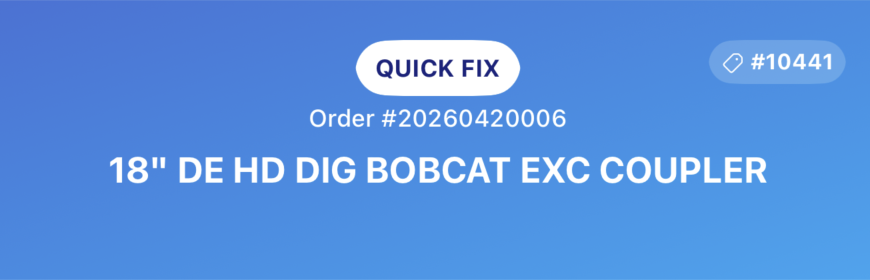
Task Overview Card
A three-column summary card showing the task's current state at a glance.
Priority column:
| Value | Display |
|---|---|
| High | Orange upward arrow (↑) + "HIGH" |
| Normal | Blue downward arrow (↓) + "NORMAL" |
Status column: Color-coded to match the status badge system (blue = Pending, orange = In Progress, purple = Paused, green = Completed).
Due Date column: Scheduled completion date. Shown in red if past due. Shows "Not Set" if no date is assigned.
Customer Details
Shown only when a customer is linked to this task.
| Element | Description |
|---|---|
| Purple people icon | Section identifier |
| CUSTOMER label | Section header |
| Customer name | Account name from CloudERM (up to two lines) |
Hidden when no customer data is available.

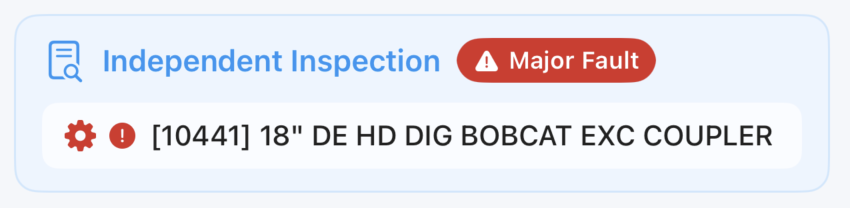
Associated Inspection
Shown only when this task originated from an inspection. Displayed as a blue-tinted banner.
Header row:
| Element | Description |
|---|---|
| Inspection type | e.g., "Dispatch Inspection", "Off-Rent Inspection" |
| Fault badge | Major Fault (red) or Minor Fault (orange) |
Fault badge meanings:
| Badge | Color | Meaning |
|---|---|---|
| Major Fault | Red | Asset was marked out of service during the inspection |
| Minor Fault | Orange | Fault recorded but asset remained in service |
Asset row: Displays the asset formatted as [Asset Number] Asset Name. The gear and fault indicator icons are tinted to match the fault badge color.
Hidden when no inspection is linked to this task.
Parts Booking Status
Shows the current parts ordering status - for example, Booked, Pending, or Not Required. Hidden when no parts booking data is available.
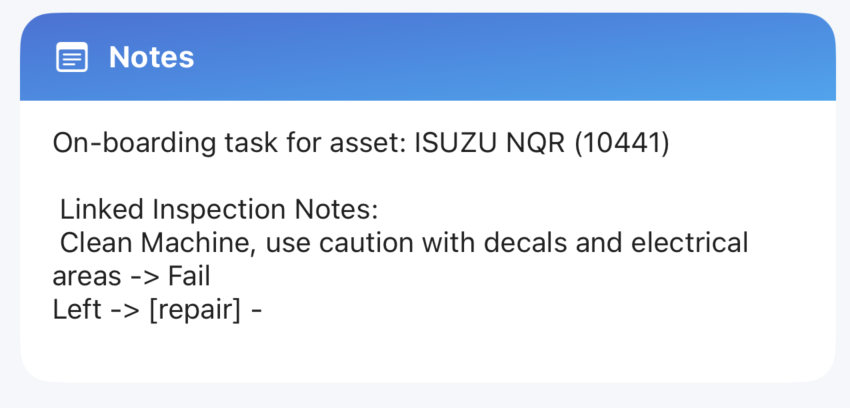
Notes
Read-only instructions or context attached to this task in CloudERM. Notes cannot be created or edited from InspectERM. Hidden when no notes exist.
Parts
A list of all parts associated with this task, showing part name, description, quantity, and availability or booking status.
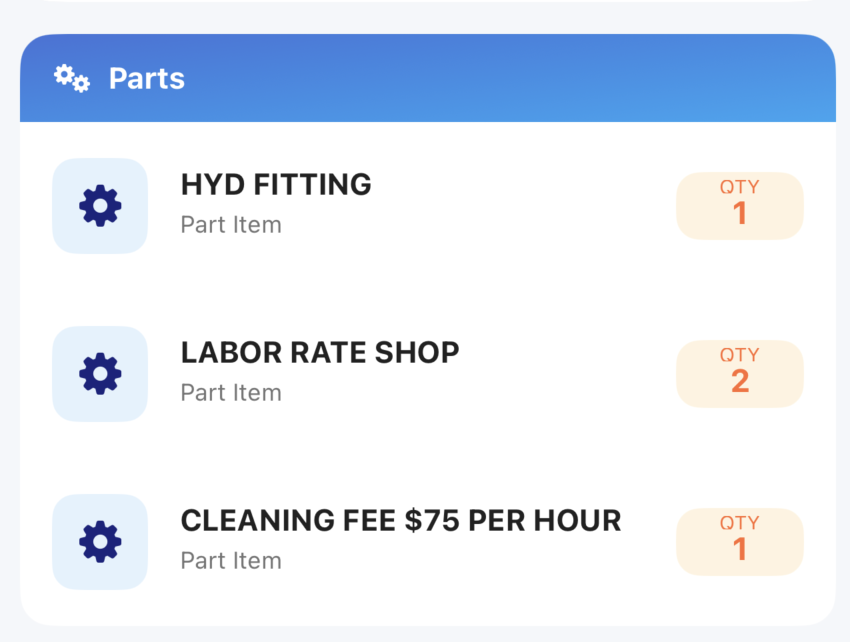
Hidden when no parts are linked.