Appearance
Customers
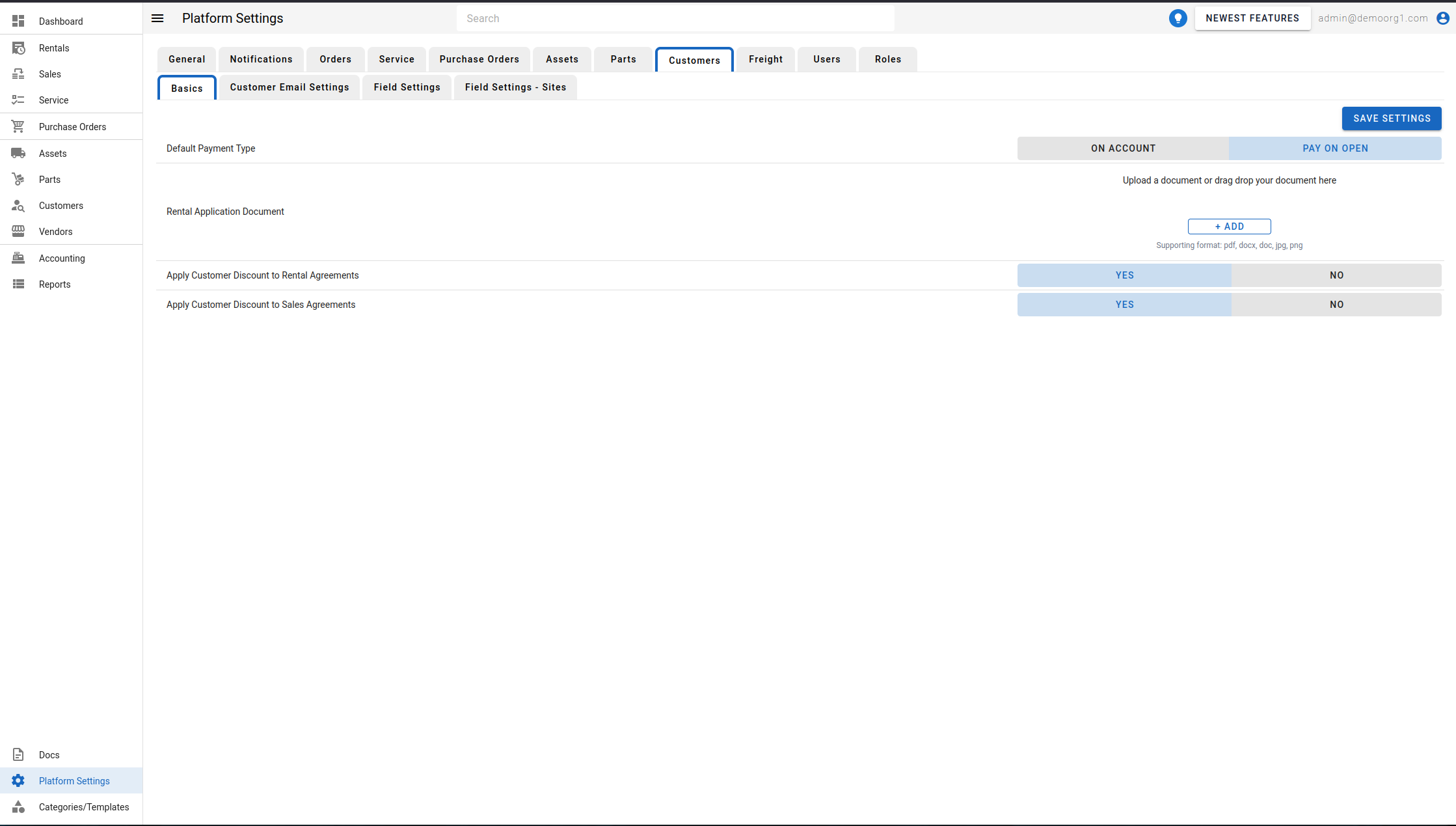
To view the Customers Page, head to the Platform Settings Page via links available on the Left Navigation Bar and click on the Customers Tab (if not already selected).
The Customers Page allows viewing/modifying the following settings pertaining to customers:
- Default Payment Type (for customers)
- Rental Application Document
- Apply Customer Discount to Rental Agreements
- Apply Customer Discount to Sales Agreements
Apply Customer Discount to Rental Agreements and Apply Customer Discount to Sales Agreements are Yes/No toggles (both default to Yes) that control whether a customer's assigned discount is applied by default to new rental or sales quotes/orders for that customer. With a toggle set to No:
- New quotes/orders of that type no longer pre-fill the Customer Discount field from the customer's record — it starts at 0%.
- Adding a customer discount back in on that new order is rejected until the setting is turned back on.
- Orders that already carry a customer discount are unaffected either way — they keep showing and billing it normally.
See Fees and Discounts on the Sales Quote for where the sales-side default is applied.
To modify information, simply edit the field and click on the Save Settings button to sync settings with the server.