Appearance
Closing History
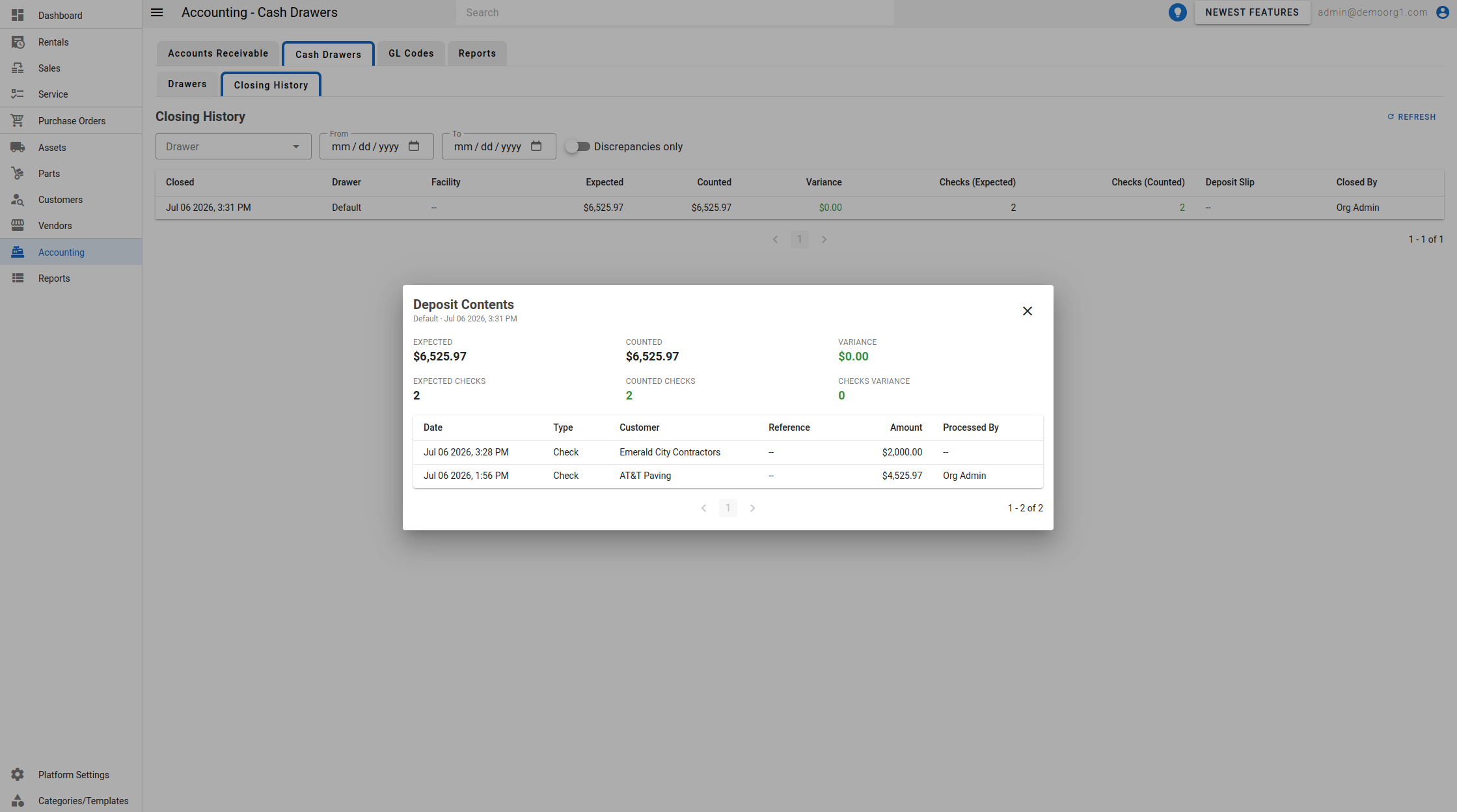
The Closing History tab lists past closings with columns Closed, Drawer, Facility, Expected, Counted, Variance, Checks (Expected), Checks (Counted), Deposit Slip, and Closed By. Filter by Drawer, a From / To date range, and a Discrepancies only toggle. Variance and a mismatched check count are shown in red.
Clicking a closing opens the Deposit Contents popup. Its header shows the closing date and Closed by <name>, followed by the Expected, Counted, and Variance amounts, the Expected Checks, Counted Checks, and Checks Variance counts, and (if entered) the deposit Slip reference, plus the payments that made up the deposit (Date, Type, Customer, Reference, Amount, Processed By). When there are no closings, the tab shows "No closings found".