Appearance
Drawers
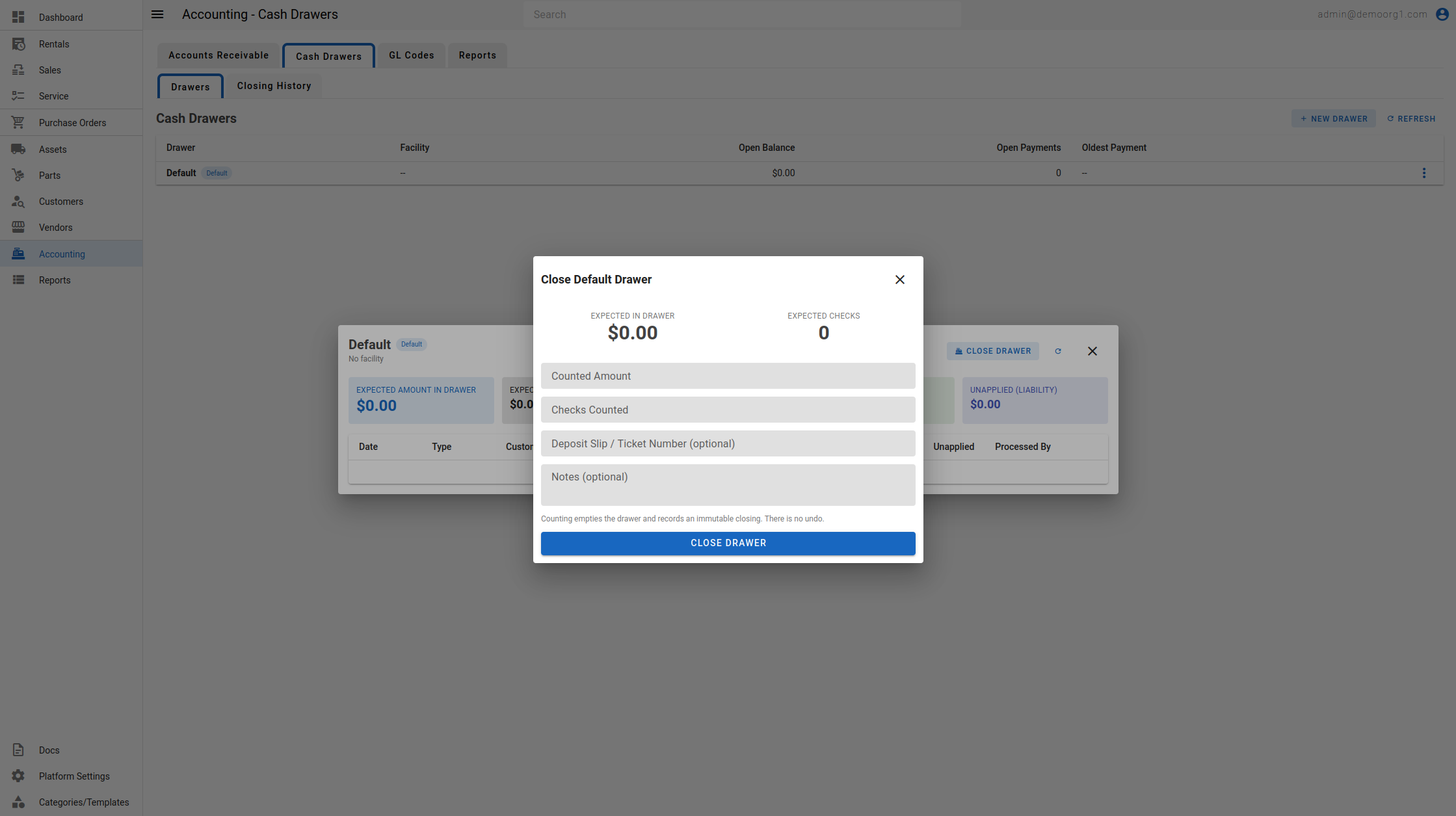
The Drawers tab lists your cash drawers with these columns: Drawer, Facility, Open Balance, Open Payments, and Oldest Payment. A drawer with no name shows as Default. The Open Balance is highlighted when money is awaiting close.
- New Drawer — click to create a drawer. Enter a Drawer Name (required) and an optional Facility (optional), then Submit.
- Right-click a drawer (or use its menu) for View Details, Close Drawer, Edit, and Delete. The Default drawer cannot be edited or deleted, and a drawer that still holds payments must be closed before it can be deleted.
When there are no drawers, the tab shows "No cash drawers found".
Drawer details
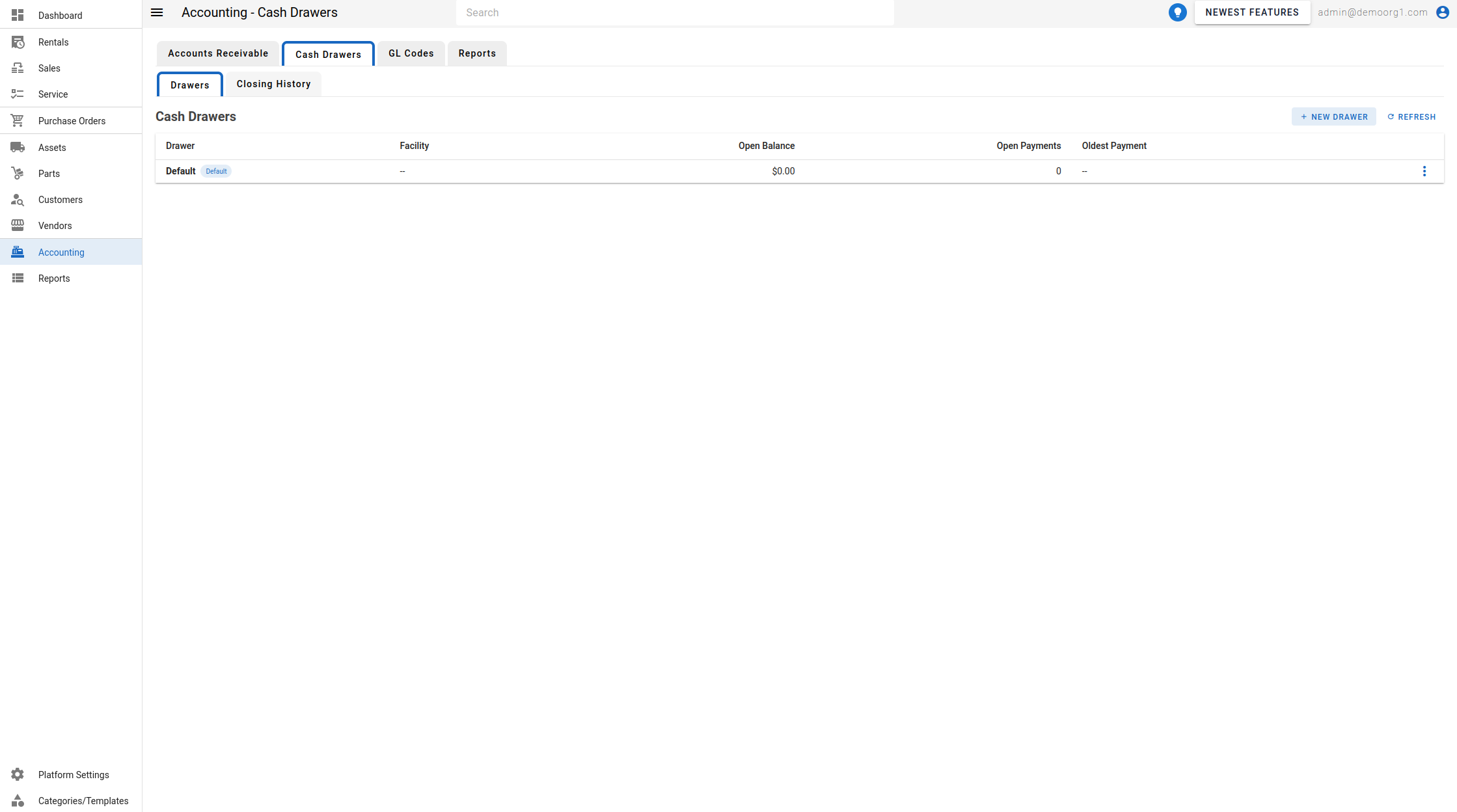
Clicking a drawer opens its detail popup, showing the drawer name and facility, five summary cards — Expected Amount In Drawer, Expected Cash, Expected Checks (an amount with the check count), Applied (Earned), and Unapplied (Liability) — and a table of open payments (Date, Type, Customer, Reference, Amount, Applied, Unapplied, Processed By). An empty drawer shows "No open payments — the drawer is empty".
Closing a drawer (End of Day)
Click Close Drawer (from the Drawers tab or the detail popup) to run the end-of-day close. Closing is a supervisor action — it requires the cash-drawer close permission, separate from the permission to view and manage drawers.
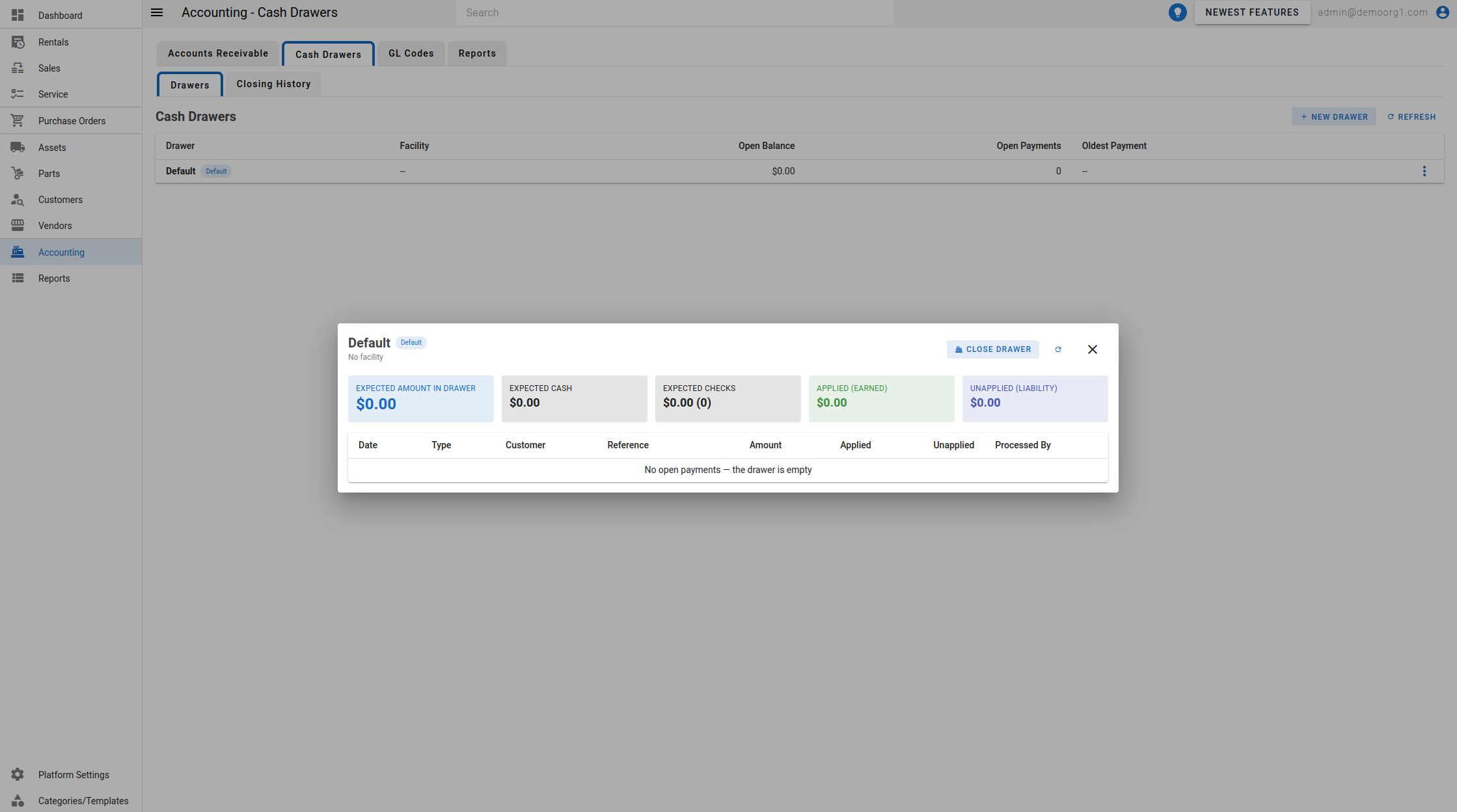
- The form shows two summary cards side by side — Expected In Drawer (the expected cash/amount total) and Expected Checks (the number of checks expected in the drawer). Enter the Counted Amount ($) — a live Variance line shows the difference, labelled (over) or (short) and coloured green when zero, red otherwise.
- Enter the Checks Counted — the number of checks in the drawer (the field's placeholder shows how many are expected). A line beneath compares your count to the expected count and flags any mismatch (over / short by n).
- Optionally add a Deposit Slip / Ticket Number and Notes.
- A warning reminds you: "Counting empties the drawer and records an immutable closing. There is no undo."
- Click Close Drawer to finish.
Closing the drawer is the deposit event: counting empties the drawer and records a permanent closing (the optional Deposit Slip number is your bank-deposit reference). After closing you'll see a confirmation — either "Drawer closed and balanced. The drawer is now empty." or, if the counted cash or check count differs from what was expected, a permanent variance notice (for example, "A cash variance of {amount} and a check-count mismatch (expected X, counted Y) were recorded. This closing is permanent and cannot be edited.") — along with the Expected, Counted, and Variance figures plus the Expected Checks and Counted Checks counts. Click Done.
Past closings are available on the Closing History tab.