Appearance
Creation Settings
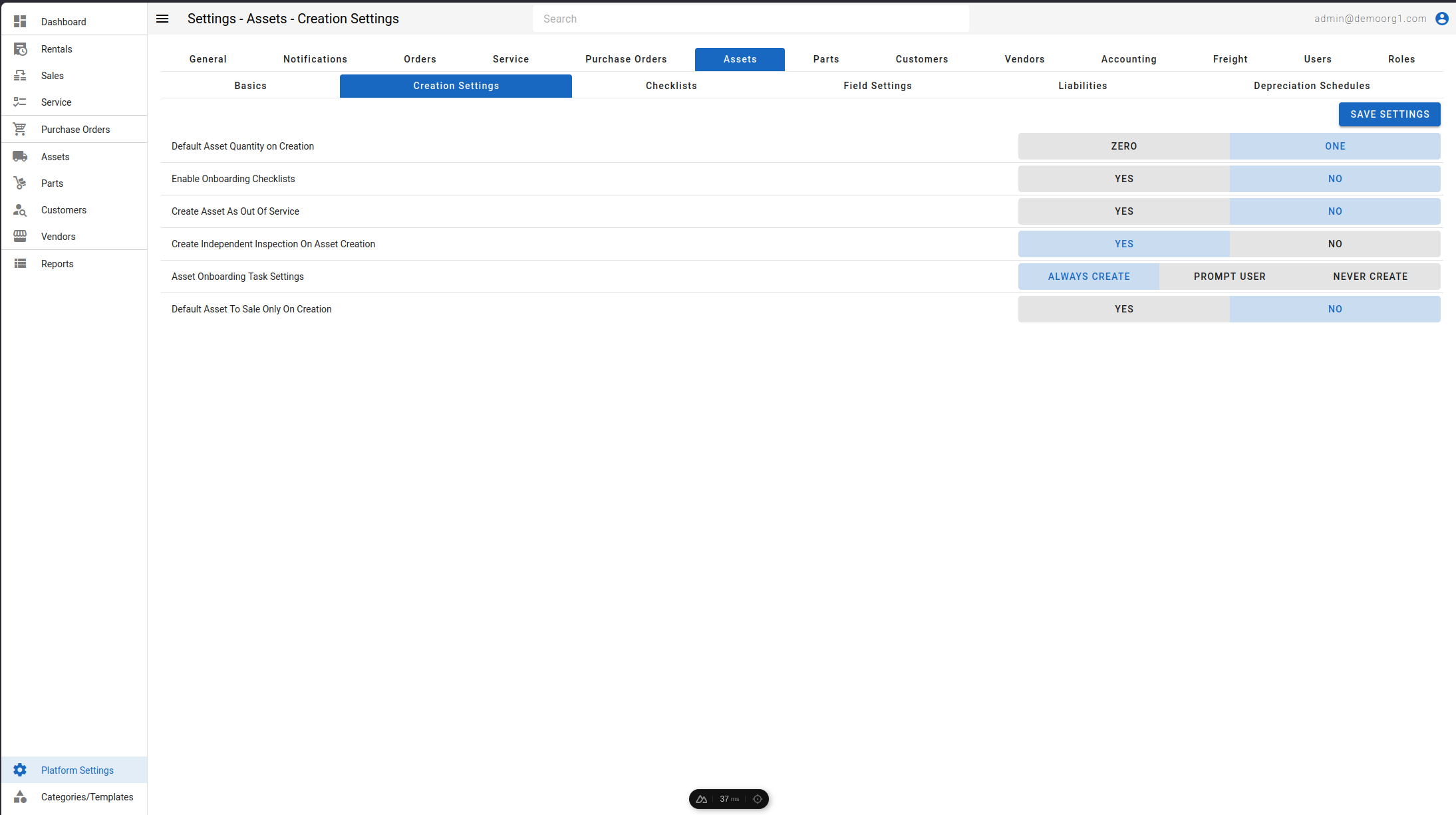
To view the Assets Page, head to the Platform Settings Page via links available on the Left Navigation Bar and click on the Assets Tab (if not already selected).
The Assets Page allows viewing/modifying settings pertaining to assets.
The Creation Tab allows viewing/modifying the following settings:
- Default Asset Quantity On Creation: This setting controls the default initial quantity of an asset on creation.
- Enable Onboarding Checklists: This setting allows controlling whether or not an asset is screened via onboarding checklists on creation.
- Create Asset as Out Of Service: This setting controls whether or not an asset is put out of service on creation.
- Create New Asset Detail Checklist On Asset Creation: This setting controls whether a New Asset Detail Checklist (NADC) is created for an asset on creation. The options are Always, Prompt, and Never. When set to Prompt, a Confirm New Asset Detail Checklist dialog appears on asset creation asking "Do you also wish to create a New Asset Detail Checklist against this asset?" — choose Create Checklist or Proceed Without Checklist. (This replaces the retired Create Purchase Inspection setting.)
- Asset On-Boarding Work Order Settings: This setting controls how on-boarding work orders are created for assets.
- Default Asset To
Sale OnlyOn Creation: This setting controls the default transaction group that an asset is created in. This setting is only a default, and can still be modified during asset creation. - Create Asset Via Purchase Order: This setting controls whether receiving/processing a purchase order creates asset records. The options are Always Create, Prompt User, and Never Create.
To modify information, simply edit the field and click on the Save Settings button to sync settings with the server.