Appearance
Notifications
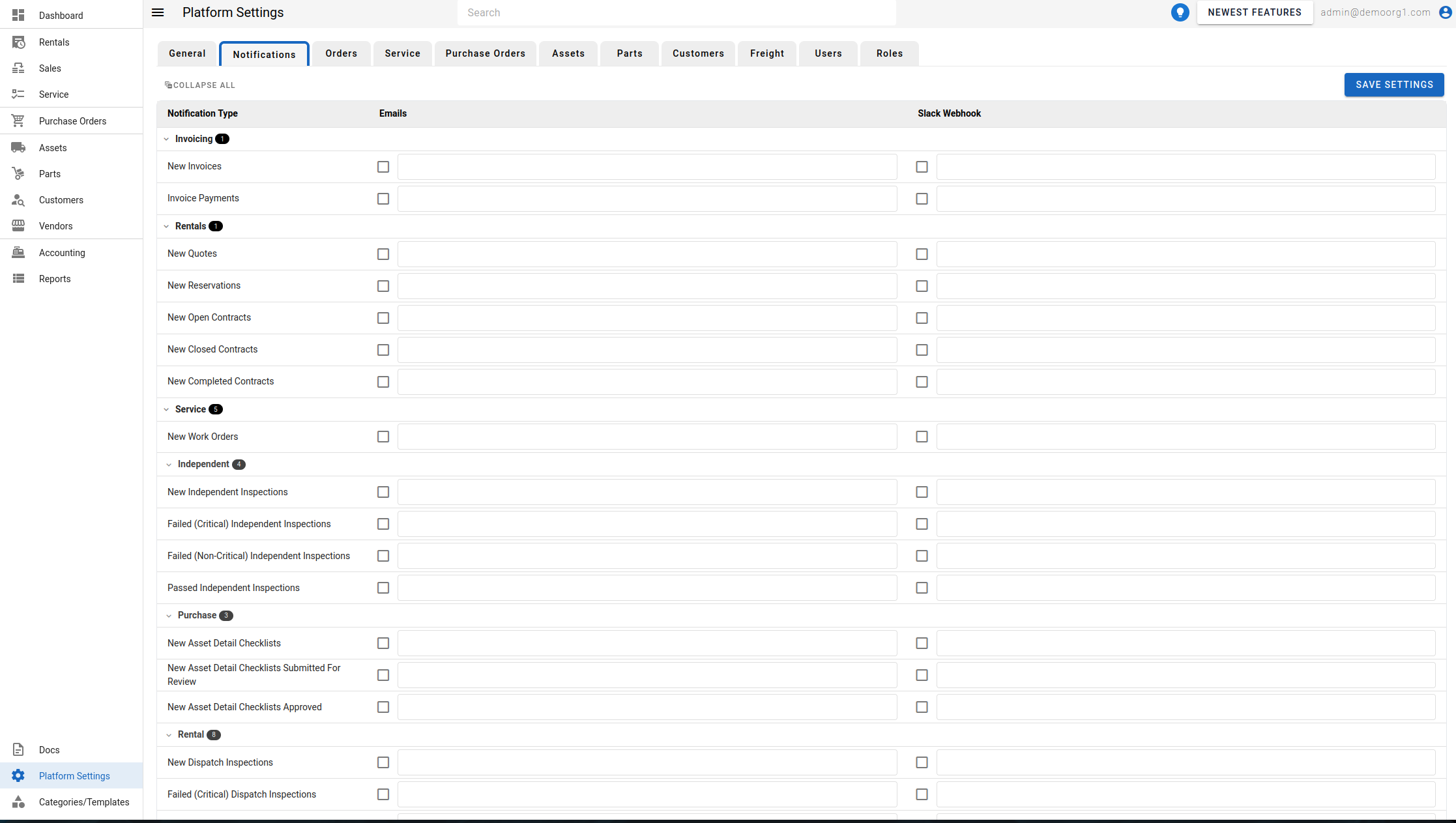
The view the Notifications Page, head to the Platform Settings Page via links available on the Left Navigation Bar and click on the Notifications Tab.
The Notifications Page allows viewing/modifying notification settings (emails and slack web hooks) for orders and work orders. Notifications are grouped under collapsible section and sub-section headers, each with a count chip.
An Expand All / Collapse All button sits in the toolbar: it reads Expand All while every group is collapsed, or Collapse All once any group is open. Click it to expand or collapse every group and sub-group in one action, or click an individual group's header to toggle just that one.
To modify information, simply edit the field and click on the Save Settings button to sync settings with the server.