Appearance
Fees & Discounts
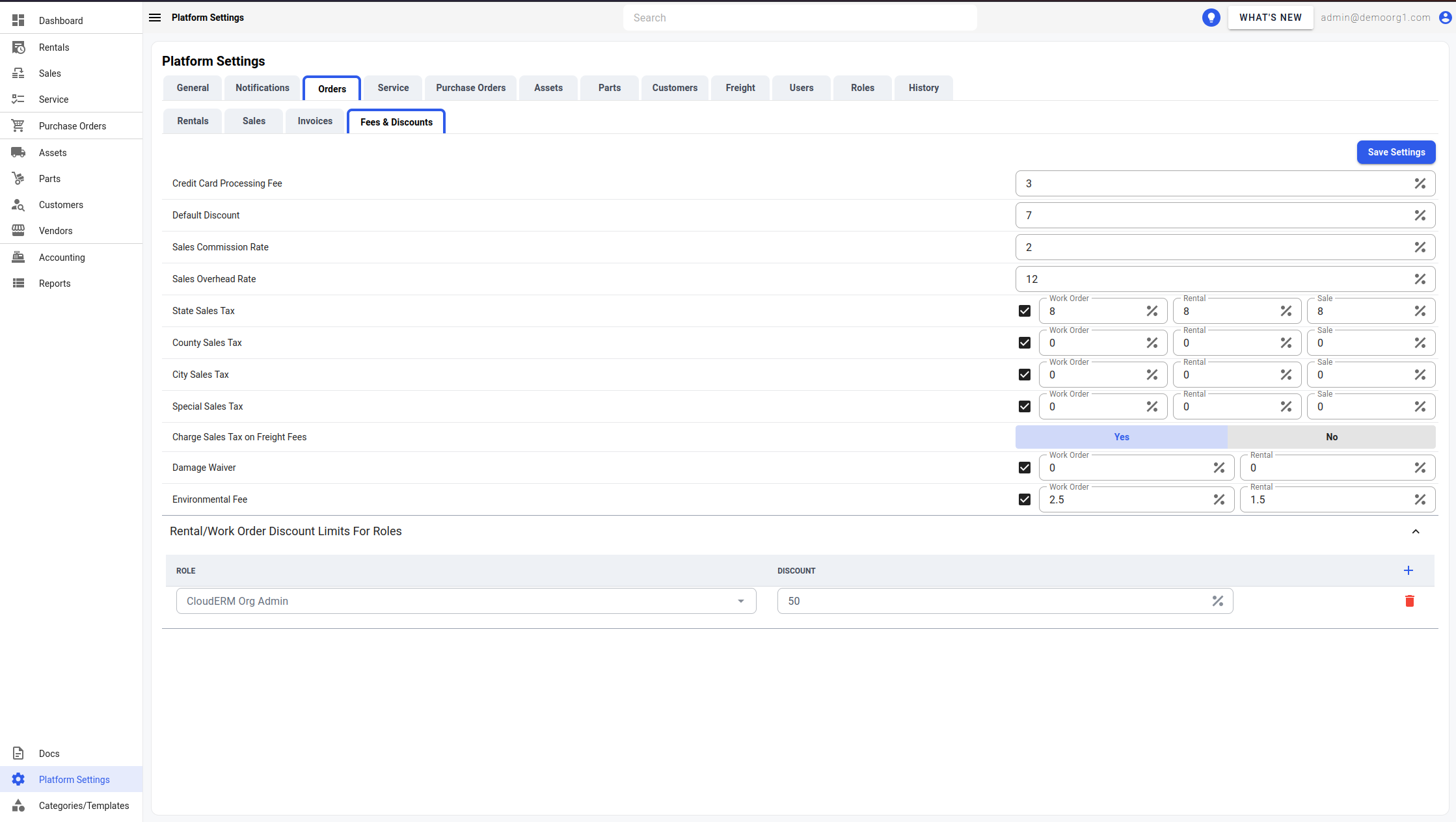
The Fees & Discounts Tab allows viewing/modifying the following settings:
Credit Card Processing Fee
Default Discount (on orders)
Sales Commission Rate
Sales Overhead Rate
Environment Fee
Damage Waiver
State Sales Tax
County Sales Tax
City Sales Tax
Special Sales Tax
Charge Sales Tax on Freight Fees: A Yes/No toggle (default Yes) that controls whether an order's state, county, city and special sales taxes are also charged on its freight fees (delivery, pickup and additional legs), as well as on its items. It applies to rentals and sales. When set to No, freight is not taxed and invoices show no Freight Tax charges. This is a platform-wide setting; it cannot be changed per order. Each order keeps the answer it was quoted with, so changing the setting does not re-price a billed rental contract; editing a quote, reservation or sale picks up the change. A customer or site tax exemption still applies first, so an exempt order's freight is not taxed whatever this setting says.
Rental/Work Order Discount Limit For Roles: Determines maximum discount a user with a certain role can offer on orders to a customer.
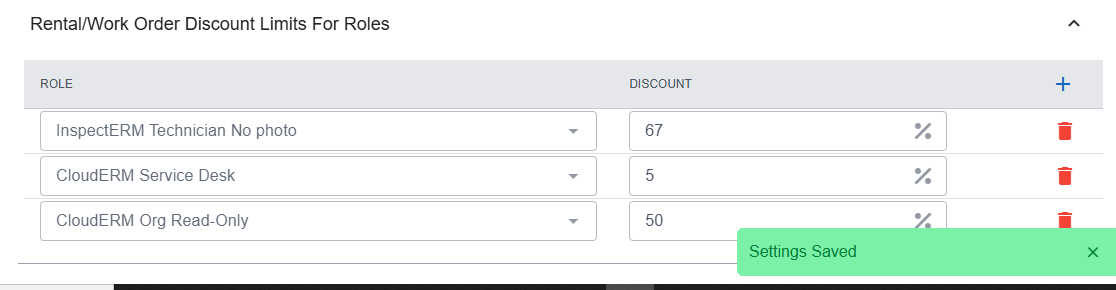
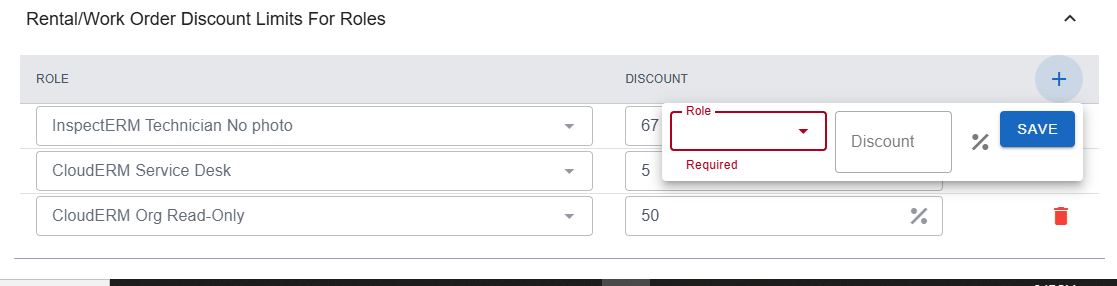
To add a new discount setting for a new role, click on the + button on the top right corner of the visible table and fill in the resultant form and click save.
To delete a setting, simply click on the red trash icon button on the extreme right of the setting's row.
To modify information, simply edit the field and click on the Save Settings button to sync settings with the server.