Appearance
A/R Over Credit Limit
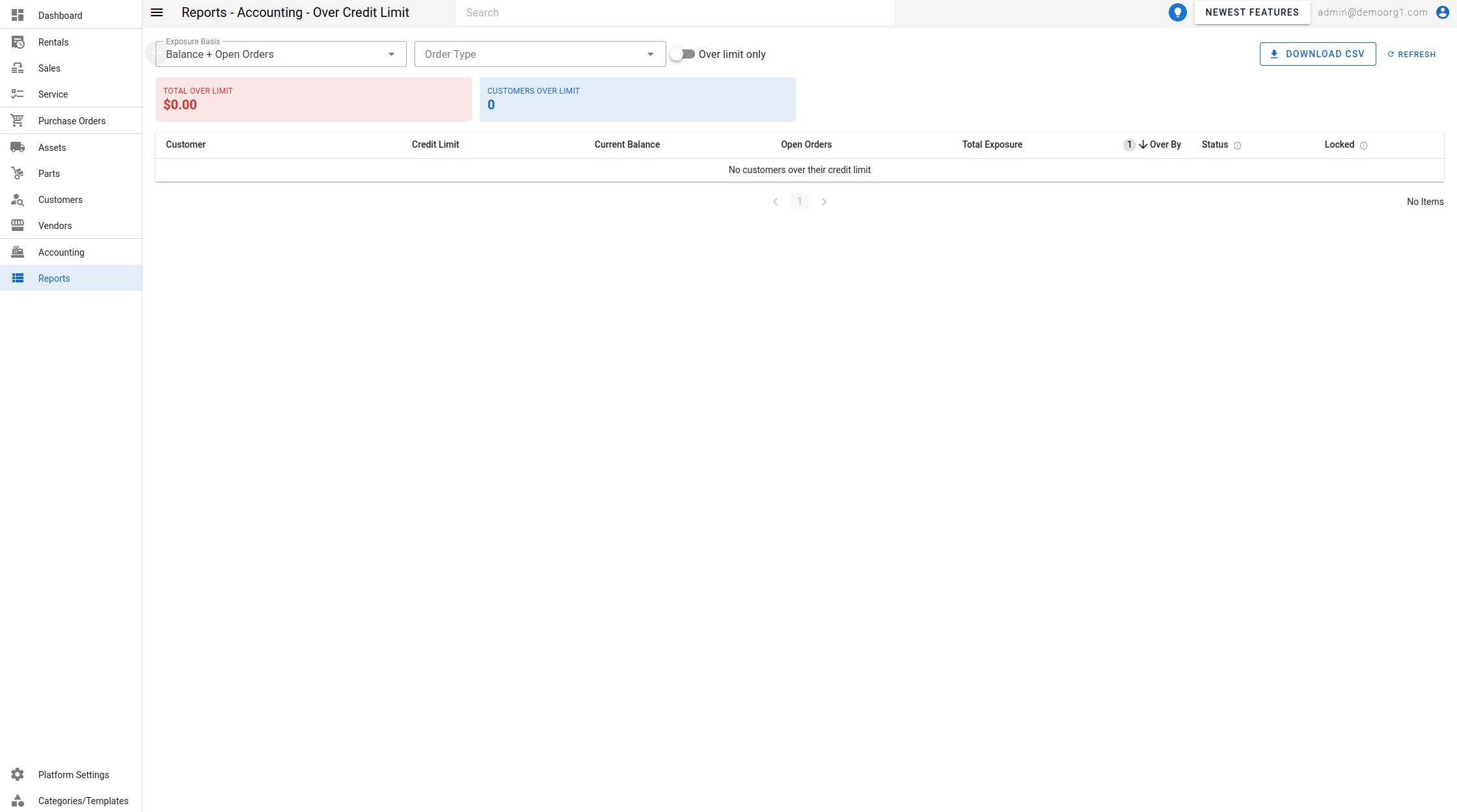
The A/R Over Credit Limit report lists customers whose outstanding exposure meets or exceeds their credit limit.
INFO
Note: Reports can only be viewed by organizational users who have been granted relevant report permissions.
To open the report, from the Left Navigation Bar, open Accounting and select the Reports tab, then click A/R Over Credit Limit. Use Download CSV to export, or Refresh to reload.
Filters
- Exposure Basis — how exposure is calculated: Balance + Open Orders (default) or Balance Only.
- Order Type — multi-select across RENTAL, SALE, WORK ORDER (used when open orders are included in exposure).
- Over limit only — toggle to show only customers currently over their limit.
Summary cards
- Total Over Limit — total amount by which customers are over their limits.
- Customers Over Limit — how many customers are over.
The table
| Column | Description |
|---|---|
| Customer | Shown as [customer number] company name. |
| Credit Limit | The customer's configured credit limit. |
| Current Balance | The customer's outstanding balance. |
| Open Orders | Value of open orders (included when the exposure basis is Balance + Open Orders). |
| Total Exposure | Balance plus open orders, per the chosen basis. |
| Over By | Amount over the limit (bold red when above zero; the default sort, highest first). |
| Status | The configured credit policy — WARN (amber; the customer is emailed when over limit) or BLOCK (red; the customer is auto-locked). This is what the system will do, not whether it has already happened. |
| Locked | The live lock state right now — a red Locked chip, or --. A customer can be over limit yet not locked (e.g. a WARN customer, or a BLOCK customer that no invoice approval has tripped yet). |
When no customers are over their limit, the report shows "No customers over their credit limit".