Appearance
Rentals
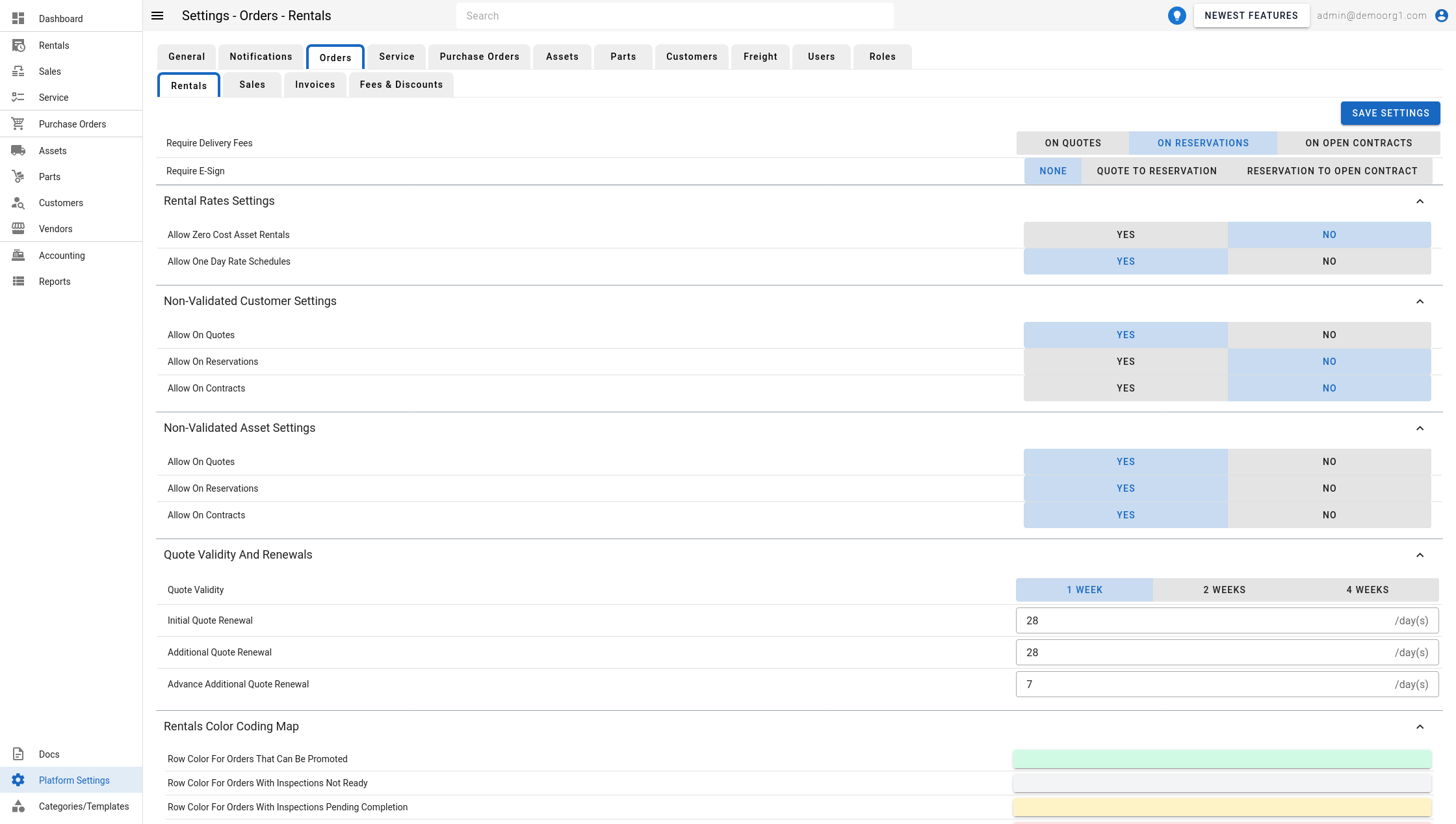
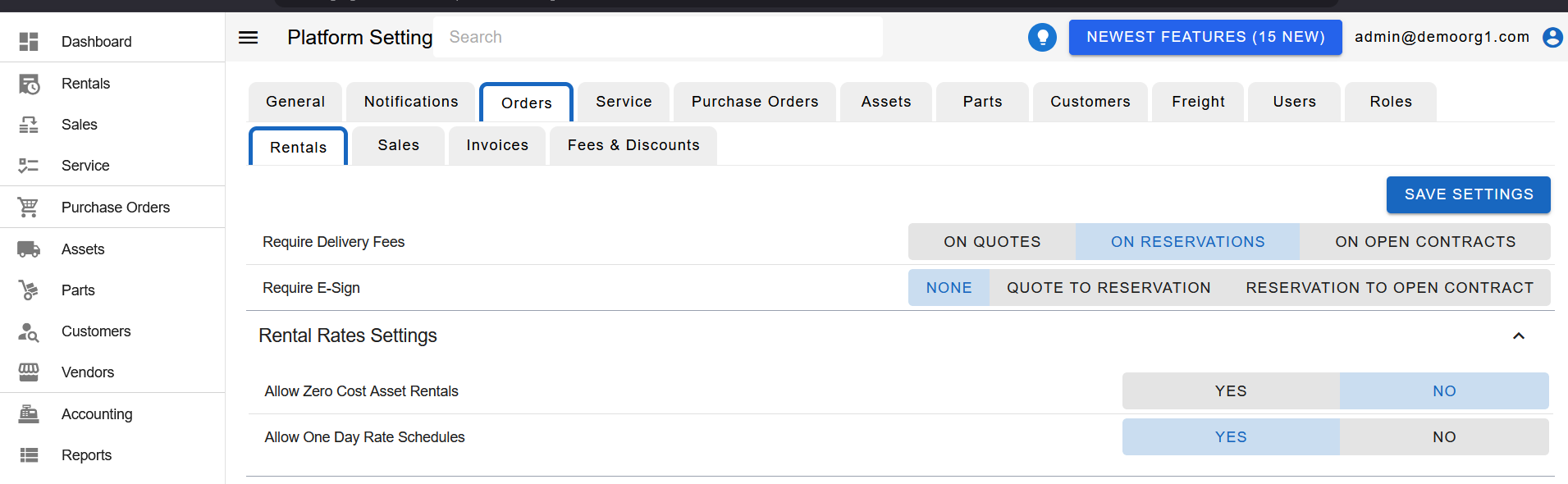
The Rentals Tab allows viewing/modifying the following settings:
Delivery Fee Requirement: Determines what stage a rental order can go to without delivery fees.
Require E-Sign: Controls at which promotion step a customer e-signature is required on a rental. It is a three-way choice — None (no signature required), Quote to Reservation (the quote must be signed before it can be promoted to a reservation), or Reservation to Open Contract (the reservation must be signed before it can be promoted to an open contract). When a signature is required but hasn't been captured, the promotion button is disabled with a note that the order "has not been signed yet". This setting only appears when e-sign is enabled for your organization; if the organization does not have e-sign enabled, the setting is hidden. An order that is already signed is exempt from the gate.
Rental Rates Settings: Determines what kind of rental rates are allowed on rental orders
Non-Validated Customer Settings: Determines what degree of rental processes are allowed for non-compliant customers

Non-Validated Asset Settings: Determines what degree of rental processes are allowed for non-validated assets

Quote Validity and Renewals: Determines default quote validity, and quote renewal intervals

Quote Validity: Controls the expiry date of the quote
Initial Quote Renewal: Controls duration after which a long running on-account contract should be renewed. Only applies to very first renewals
Additional Quote Renewal: Controls duration after which a long running on-account renewed contract should be renewed. Only applies to renewed contracts
Advance Additional Quote Renewal: This field works in tandem with 'Additional Quote Renewal' for subsequent renewal of renewed contracts. The BE calculates renewal duration using the following formula:
So, assuming Additional Quote Renewal is 28, and Advance Additional Quote Renewal is 7, subsequent renewal will be performed after
28 - 7 = 21days, if the on-account contract is still on-going.Renewal_Duration = Additional_Quote_Renewal - Advance_Additional_Quote_Renewal
Rentals Color Coding Maps: Determines color scheme followed by rental order rows on rental orders tables.

Contract Completion: Controls whether closed rental contracts are completed automatically.

- Auto-Complete Closed Contracts: A Yes/No toggle (default No). When Yes, a closed rental contract is moved to Completed automatically once it has no unpaid invoices, no open work orders and no unfinished off-rent inspections (voided invoices count as settled, and a contract with no invoices is not held back). The check runs hourly. When No, closed contracts are completed by hand.
- Days After Close Before Auto-Completing: A number of days (default 0). How long a contract must have been closed before it is completed automatically. 0 completes it as soon as nothing is outstanding. Use a higher number to keep the window open for late fees, since only a closed contract can still be edited. Applies only when Auto-Complete Closed Contracts is Yes.
To modify information, simply edit the field and click on the Save Settings button to sync settings with the server.