Appearance
Permissions Users Report
The Permissions Users Report is the mirror image of the Users Permissions Report: one row per permission, one column per user, so you can audit every user who holds a given permission at a glance.
INFO
Note: Reports can only be viewed by organizational users who have been granted relevant permissions.
To view the report, head to the Reports Page Head via links available on the Left Navigation Bar and click on the Permissions Users Report. This opens up the report in a new tab.
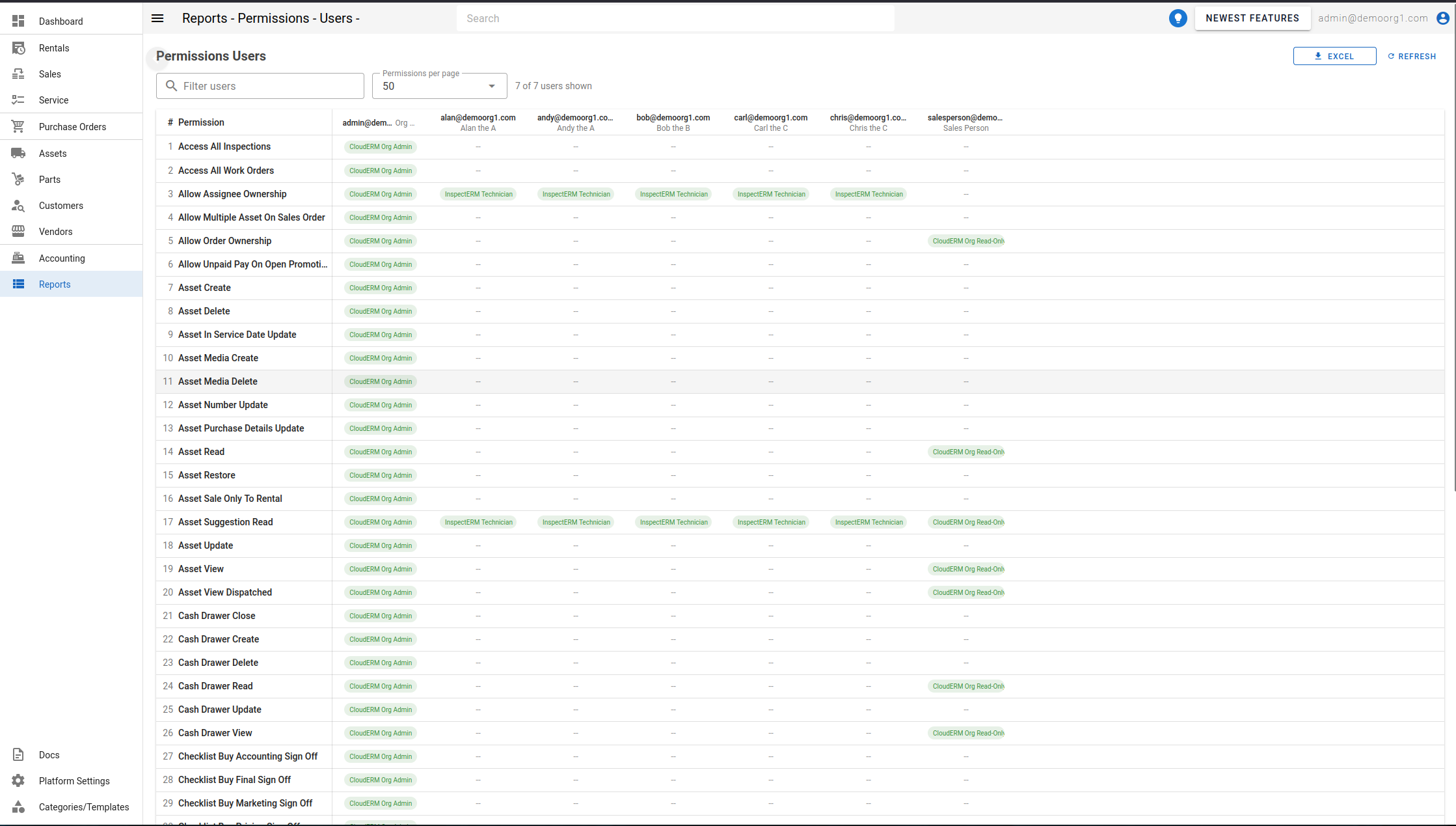
The report has no server-side filters of its own — the full permission list is always fetched, paginated by the backend. Instead, the on-screen controls narrow which columns are displayed:
- Filter users — free-text search that narrows the user columns shown, matching against username or display name.
- Permissions per page — how many permission rows are shown per page (25, 50, or 100).
A counter below the controls shows how many of the total user columns are currently displayed.
The table
- # and Permission are pinned to the left as you scroll.
- Each remaining column is one user, headed by their username (and display name, when available).
- A cell shows one chip per role that grants the user that permission. A
--means the user doesn't have the permission through any role.
Use the download control at the top right to export the report, or Refresh to reload.