Appearance
A/R Transaction Search
The A/R Transaction Search report lets you look up accounts-receivable activity — invoices, payments, and payment applications — filtered by customer, date, amount, or invoice/reference number. It reads the same financial journal as the Financial Activity Audit Journal, scoped to A/R entities.
INFO
Note: This report can only be viewed by organizational users who have been granted the relevant report permissions (report access plus the Accounting reports permission). The report opens in a new browser tab.
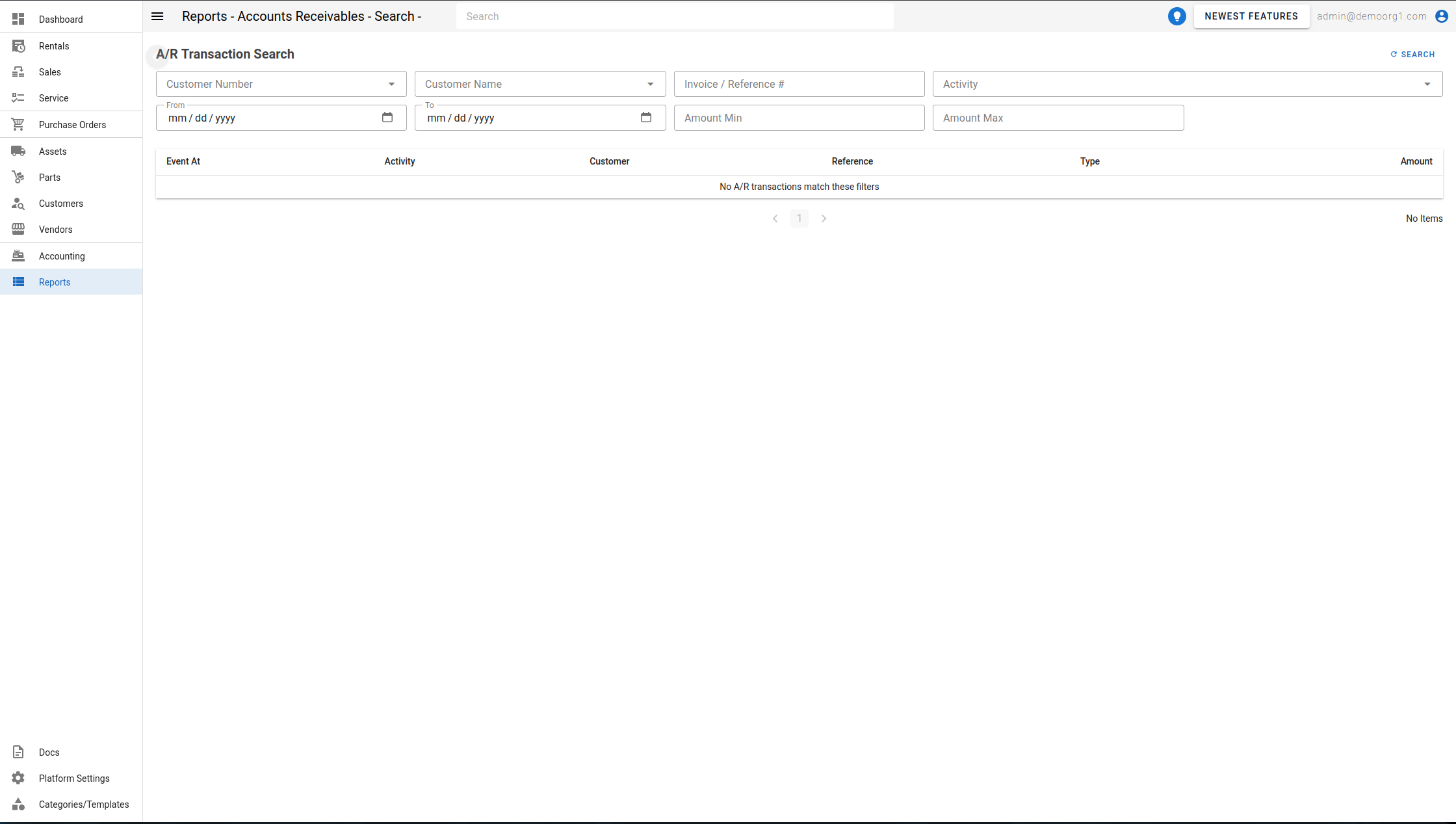
Open it from the Reports page (under the Accounting reports), set your filters, and click Search. It can also be opened pre-filtered by deep links from other screens (customer, invoice, date, or amount).
Filters
- Customer Number / Customer Name — limit to a customer (shown only if you have customer-lookup permission).
- Invoice / Reference # — search by an invoice or reference number (placeholder
INV-2050…). - Activity — multi-select of activity types (see below).
- From / To — the date window.
- Amount Min / Amount Max — bound the transaction amount.
The Activity options include: Invoice Created, Invoice Updated, Invoice Approved, Invoice Voided, Invoice Emailed, CC Fee Charges Recorded, Discount Clawed Back, Payment Received, Deposit Received, CC Deposit Initiated, CC Payment Initiated, CC Deposit Confirmed, CC Payment Confirmed, CC Payment Failed, Stripe Refund Flagged, Discount Granted, Refund Credit Absorbed, Overpayment Credited, and Payment Applied.
The table
| Column | Description |
|---|---|
| Event At | When the transaction was recorded. |
| Activity | The activity type (shown as a colored chip). |
| Customer | The customer, shown as [number] name. |
| Reference | The invoice/reference number. |
| Type | Invoice, Payment, or Payment Application. |
| Amount | The transaction amount. |
Results are paginated. When nothing matches, the report shows "No A/R transactions match these filters".