Appearance
Overview
INFO
Note: Services can only be viewed by users who have been granted relevant permissions.
What are services in CloudERM?
Services are in-house processes against an asset. These can include inspection processes such as dispatch and off rent inspections, or work orders for assets that need repair/maintenance.
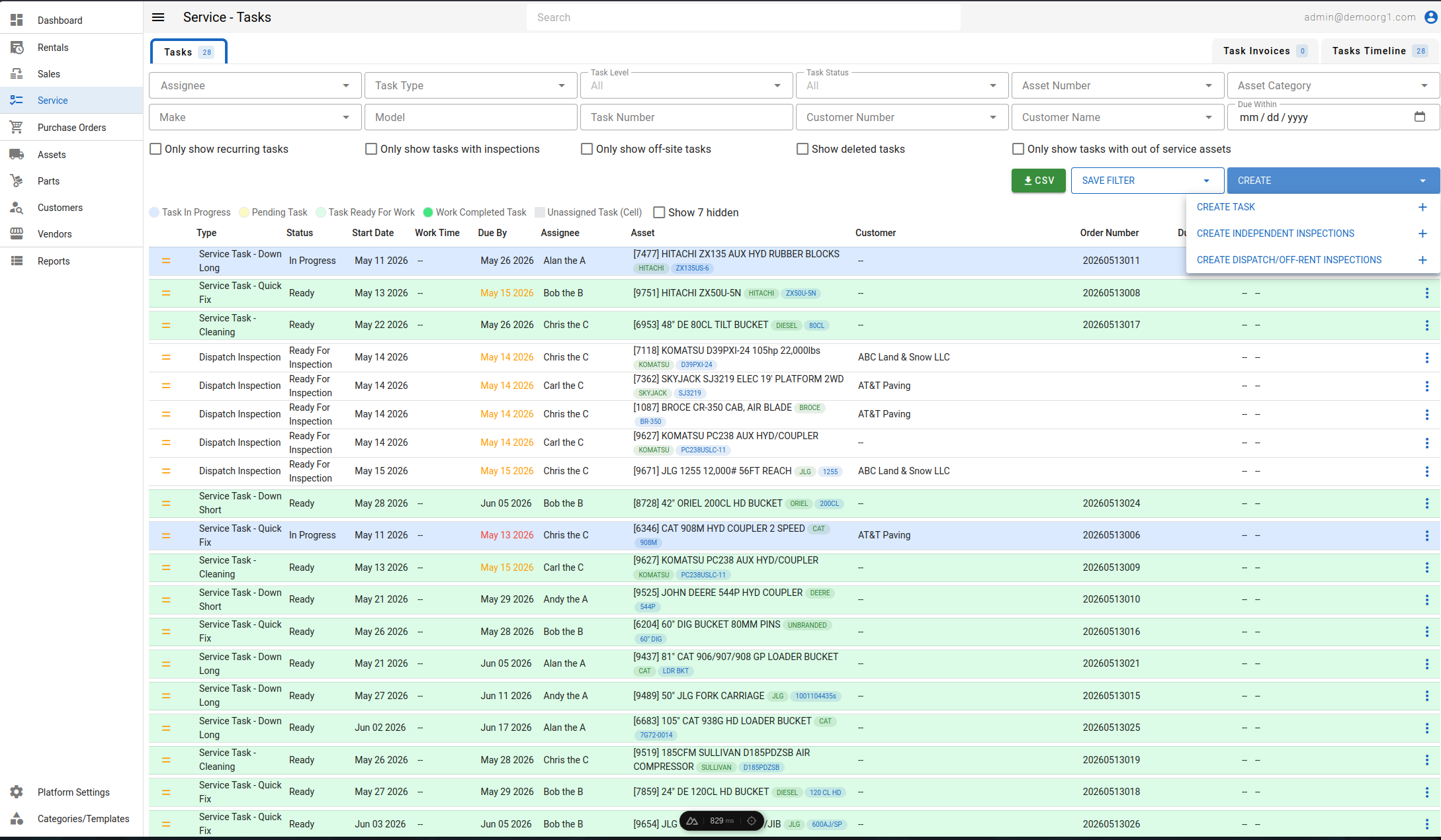
Inspections cannot be created manually, and are instead auto generated against an asset on a sale order, or a rental order in the reservation phase, and later in the off-renting phase. Rental inspections are easily accessible from the rental order itself, but can be accessed from several other views, including the Service page.
Work orders are usually auto-generated as a result of failed inspections, but can also be created manually against an asset from the Service page or on asset creation. If work orders are disabled for your organization (Allow Work Order Creation), completing an inspection will not auto-create a work order.
Saved Filter Tabs
Saved Filter tabs can be created using the Save Filter menu.
To create a saved filters:
- Navigate to the All Work tab
- Apply the desired filters
- Click the Save Filter button
- Enter a name for the new tab or saved filter
- Save the configuration
Once saved, the filter will appear as a new tab for quick future access.
In order to delete specific saved filters tab click the save filter menu and click the delete icon against any saved filter to delete it.
Tip: Use clear and descriptive names for tabs to make it easier to identify saved filter views later.
CSV Button
The green CSV button, located adjacent to the Save Filter menu, allows users to export work records in CSV format. Upon clicking this button, all work orders and inspections currently available in the list will be downloaded as a CSV file for offline use.