Appearance
EOD Payment Register
The EOD (end-of-day) Payment Register lists the payments taken over a period, grouped and subtotaled by payment group.
INFO
Note: Reports can only be viewed by organizational users who have been granted relevant report permissions.
To open the report, from the Left Navigation Bar, open Accounting and select the Reports tab, then click EOD Payment Register. Use the Export menu (Download PDF / Download CSV) to export the report, or Refresh to reload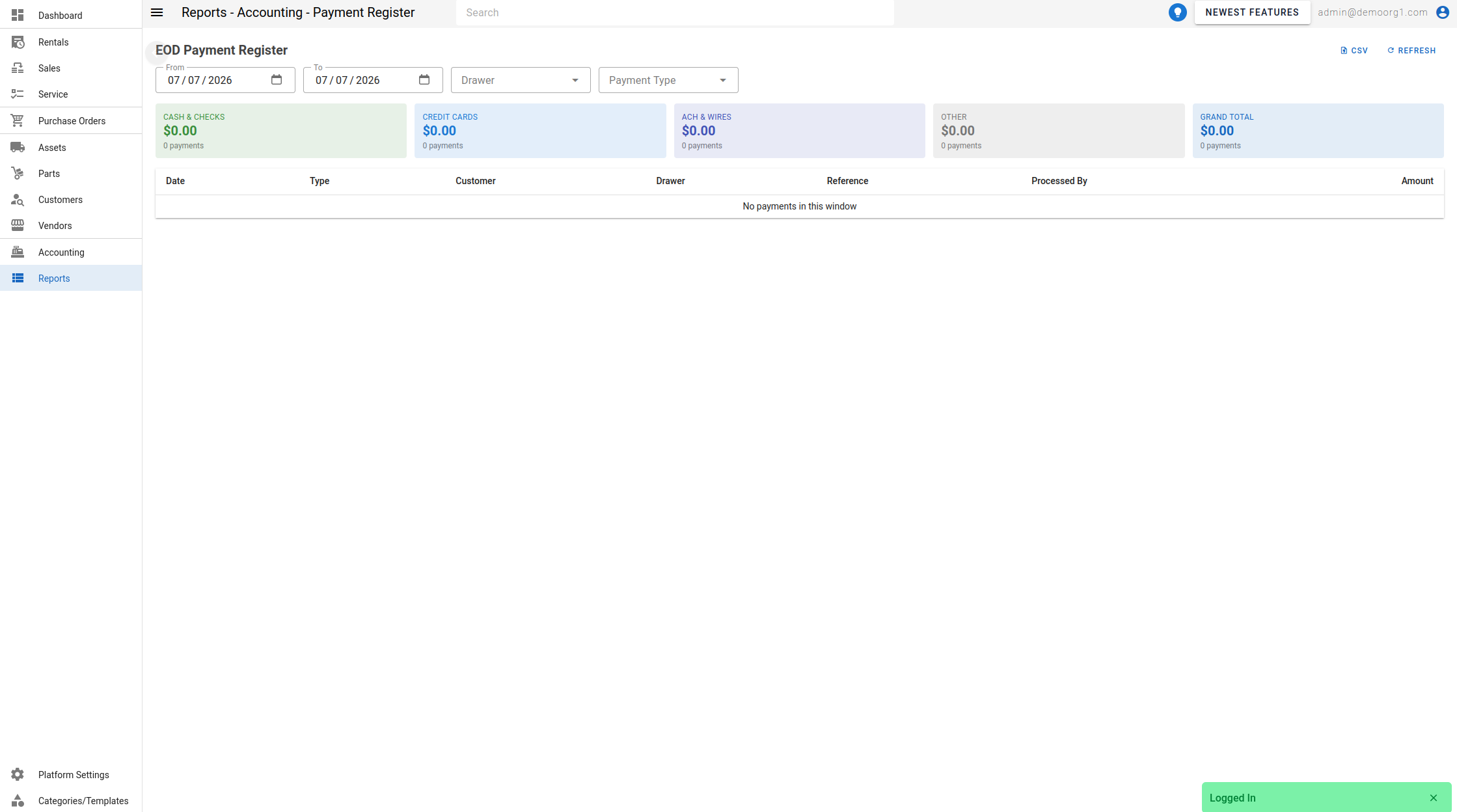 .
Filters
- From / To — the date window. Left blank, both default to Today (in your organization's timezone).
- Drawer — limit to a single cash drawer.
- Payment Type — Cash, Check, Credit Card, ACH, Wire, or Other.
Summary cards
Five cards subtotal the period: Cash & Checks, Credit Cards, ACH & Wires, Other, and Grand Total — each showing an amount and a payment count.
The table
| Column | Description |
|---|---|
| Date | When the payment was taken. |
| Type | The payment type. |
| Group | The payment group — Cash & Checks, Credit Cards, ACH & Wires, or Other. |
| Customer | The paying customer. |
| Drawer | The cash drawer the payment was routed to. |
| Reference | The payment reference (e.g. check number). |
| Bank Date | The check-clearing / bank date recorded on the payment; falls back to the payment date, or -- when empty. |
| Processed By | The user who recorded the payment. |
| Amount | The payment amount. |
When there are no payments in the window, the report shows "No payments in this window".