Appearance
Customer Documents Report
The Customer Documents Report lists your customers alongside their insurance and credit application status, with links to each customer's attached documents.
INFO
Note: Reports can only be viewed by organizational users who have been granted relevant permissions.
To view the report, head to the Reports Page Head via links available on the Left Navigation Bar and click on the Customer Documents Report. This opens up the report in a new tab. Clicking a customer row opens that customer in a new tab.
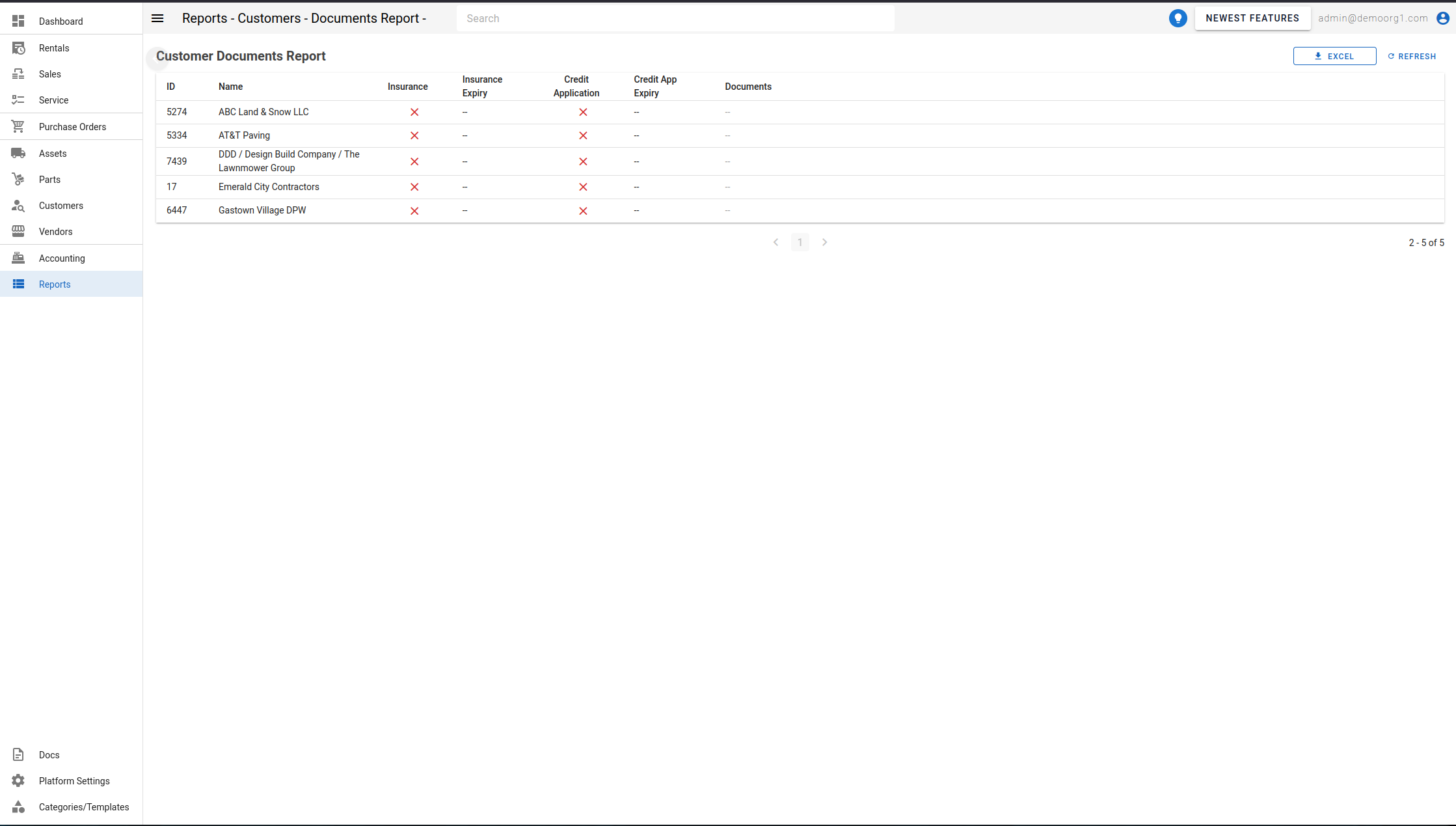
The table
| Column | Description |
|---|---|
| ID | The customer number. |
| Name | The customer's company name. |
| Insurance | Whether the customer has complete insurance information on file (liability/policy option, carrier, and policy number all set). Hover for the carrier and policy number. |
| Insurance Expiry | The insurance policy's expiration date. |
| Credit Application | Whether a credit application is on file for the customer. |
| Credit App Expiry | The credit application's expiration date. |
| Documents | Links to the customer's attached documents (for example, insurance or credit application files). Shows -- when none are attached. |
To download the report, use the Export control at the top right corner of the page (see Viewing and Generating Reports). Use Refresh to reload.